

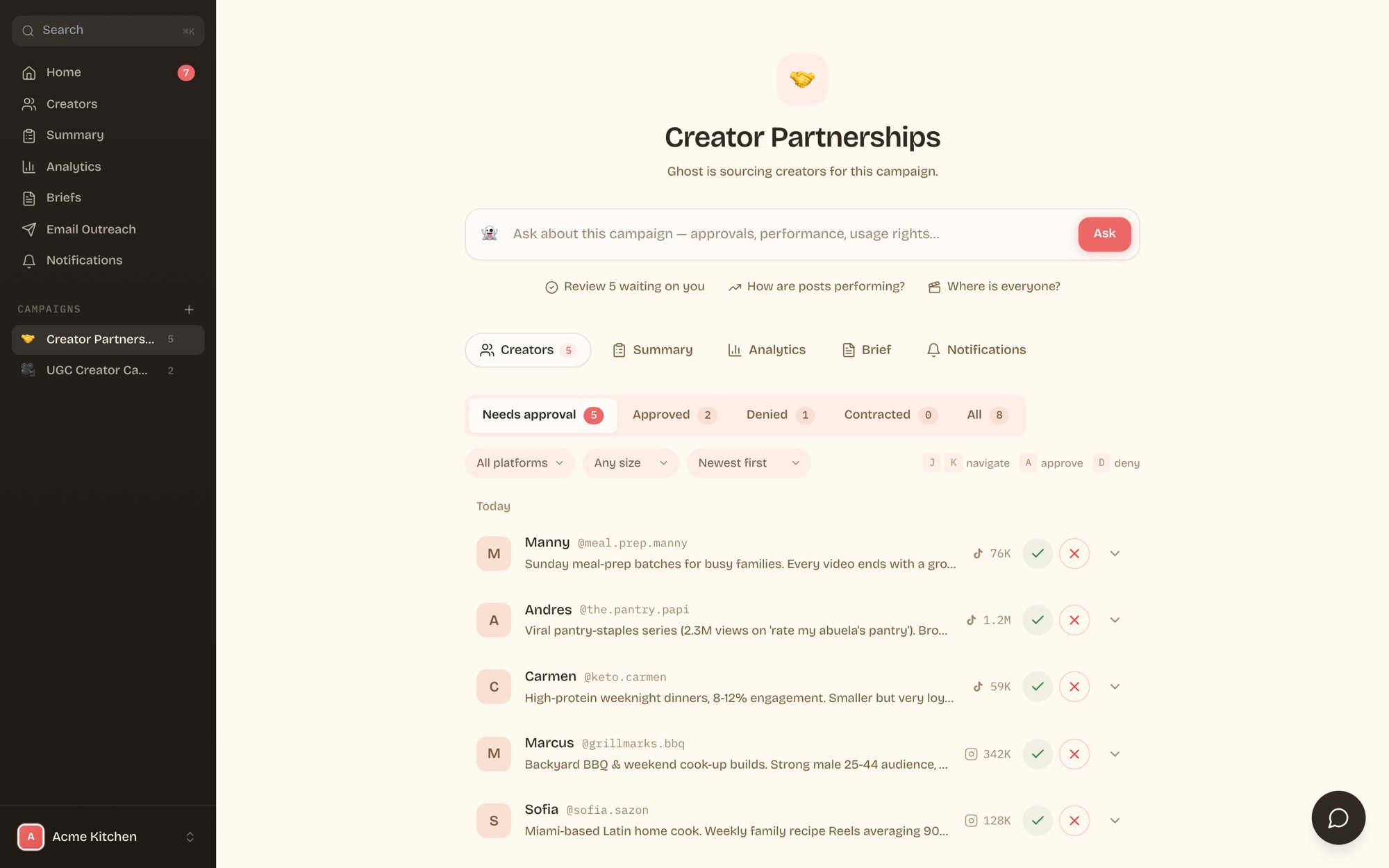
Ghost sources creators for your campaign around the clock. Every good fit lands in your portal with their handle, follower count, platform, and a short note on why they fit. Your job is one click: approve or pass.
Campaign creator queue with approve and deny buttons

Approve or deny

Every creator row has a green check and a red x.
  • Approve greenlights the creator. Ghost takes it from there: outreach, negotiation, briefing, production, and posting.
  • Deny passes on them. Add an optional reason so we source better matches next round.
You can work the queue entirely from your keyboard: J and K move between creators, A approves, D denies.

Dig into a creator

Click the arrow on any row to expand it.
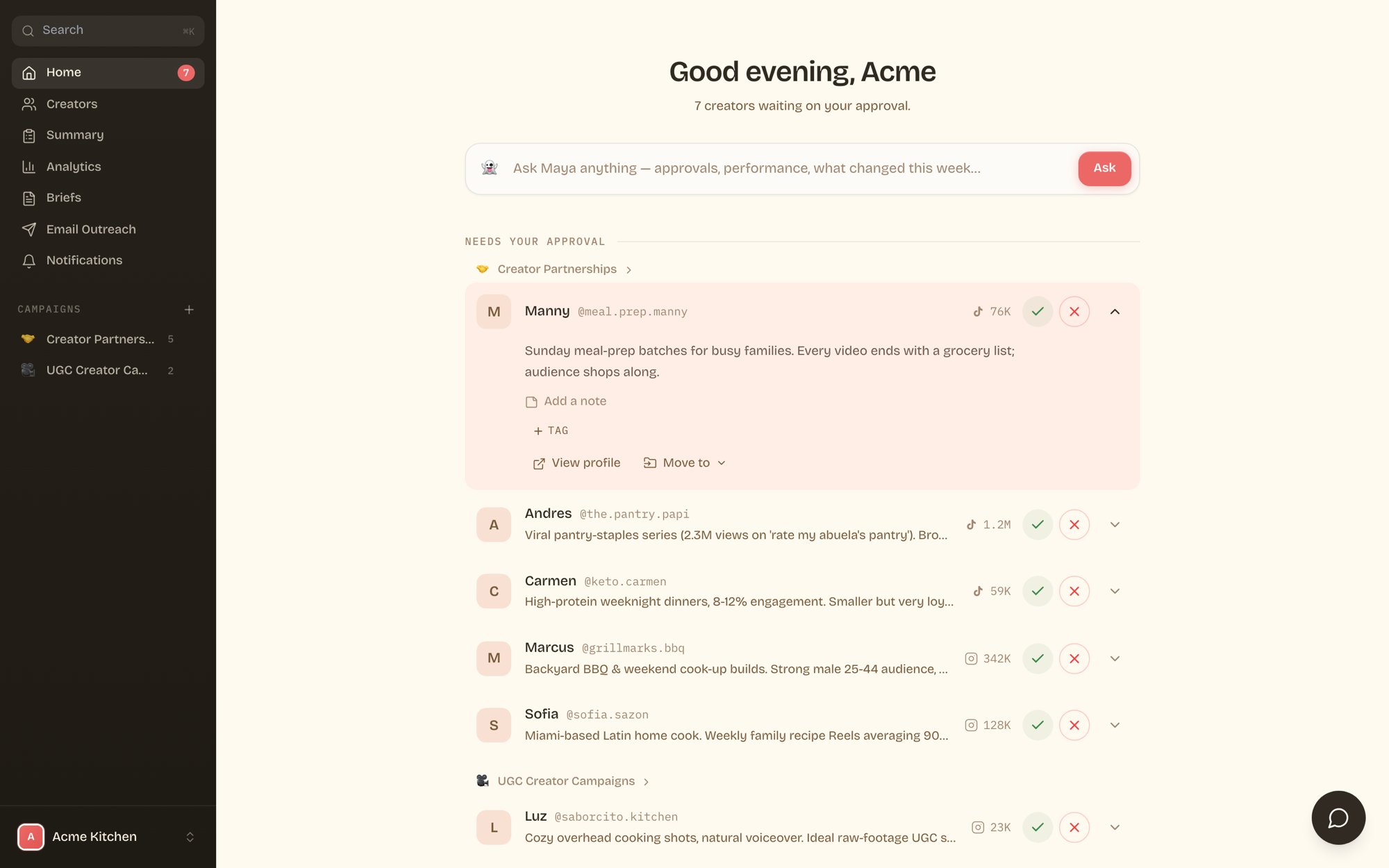
Expanded creator row showing note, tag, view profile, and move options
From here you can:
  • View profile opens their Instagram, TikTok, or YouTube in a new tab.
  • Add a note sends a comment to the Ghost team about this creator.
  • Tag adds your own labels (like “top pick” or “backup”) to keep the list organized.
  • Move to shifts the creator into a different campaign.

Statuses and filters

The queue is split into Needs approval, Approved, Denied, Contracted, and All. Contracted means the creator signed and is in production. You can also filter by platform, filter by audience size, and sort by newest or largest.
Approving fast keeps your campaign moving. Creators are sourced fresh, and the best ones book up. Most brands clear their queue in under five minutes a day, or just approve from WhatsApp or their AI.

Where the creators come from

Ghost’s data comes from tens of thousands of real brand deals. Our models grade every creator for fit, engagement quality, and fraud signals before anyone reaches your queue. The more you approve and deny, the sharper your queue gets.