
Documentation Index
Fetch the complete documentation index at: https://docs.onghost.com/llms.txt
Use this file to discover all available pages before exploring further.
To start sending campaigns to your contacts please make sure you have uploaded your audience to Ghost. You can find more information here: Uploading my contacts
Getting started sending email campaigns
Ghost is the easiest platform in the world to create and send promotional, marketing, or update email campaigns to your audience. Ghost knows your branding & tone of voice and helps you craft beautiful emails in seconds. See the slideshow below to get started creating your first campaign.AI email validation
Ghost’s AI makes recommendations to improve your campaign automatically. Hover over the ”!” icon to see anything that could be improved or may have been forgotten (like missing button links).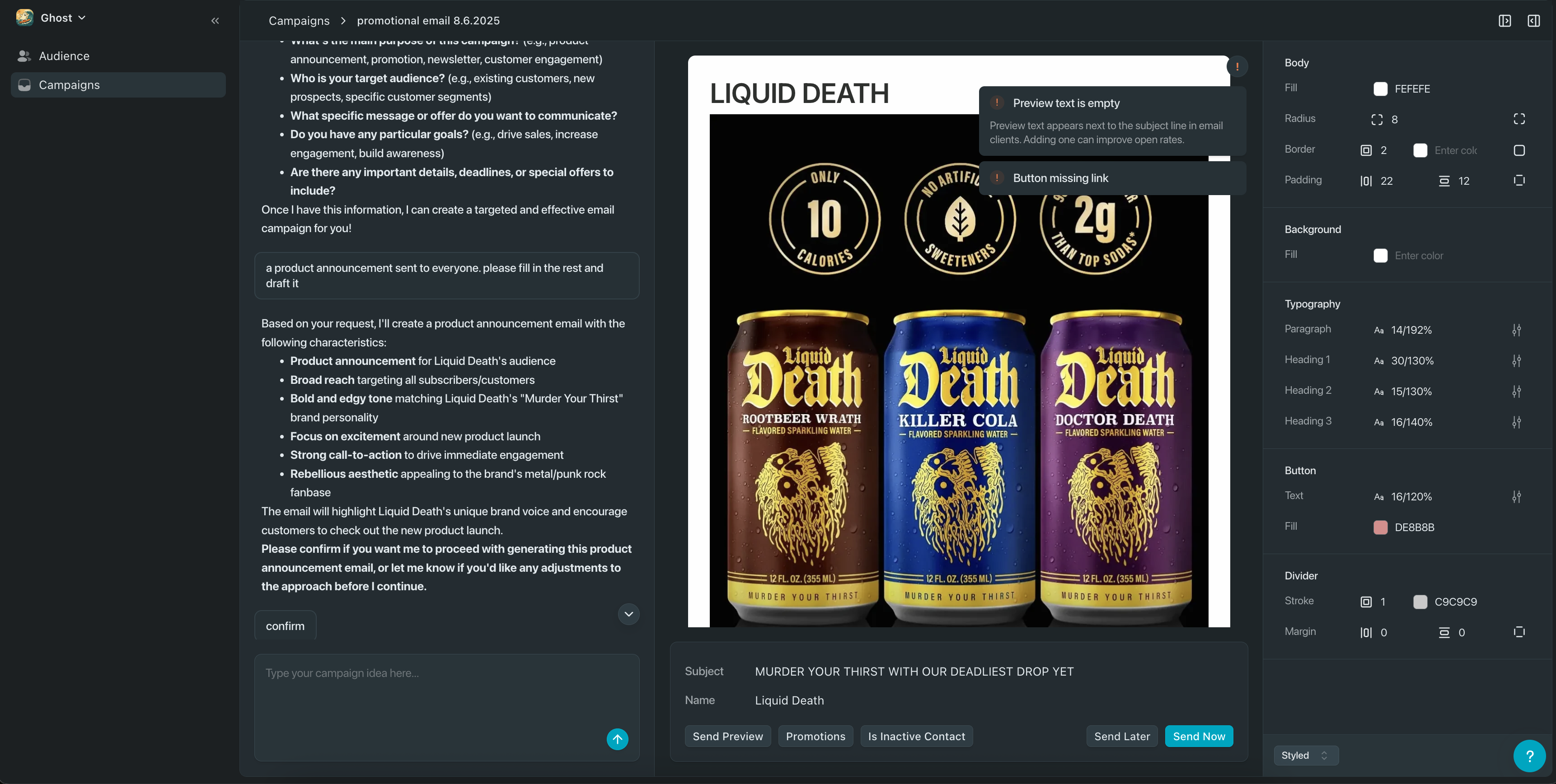
Ghost badge
This below badge appears in the footer of all emails sent on the Free and Starter plans. It lets people know your email was created with Ghost. If you’re on the Growth plan or higher, the badge is automatically removed - no extra steps needed.
Campaign info box
This is your Campaign Info box — it’s where you set the key details for your email before sending.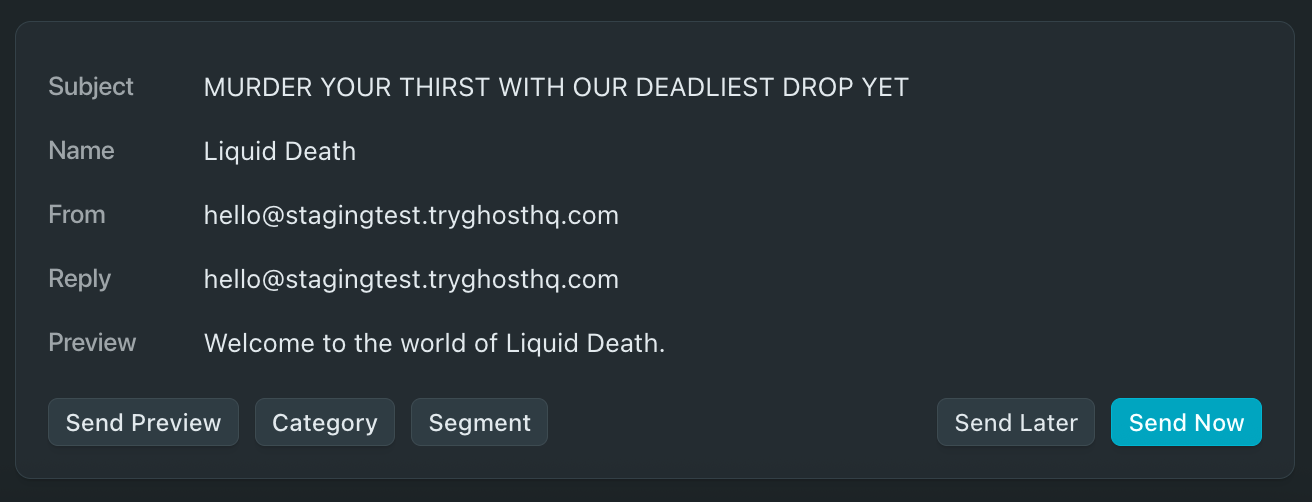
| Name | Description |
|---|---|
| Subject | What your audience sees in their inbox as the subject line. |
| Name | Who the email is coming from. This is the name that shows up in someones inbox when they see an email they recieve. |
| From | The email address you’re using to send the campaign. |
| Reply | This is the email address replies will go to. For example if you’re sending an email from a company account but you may want replies to go to your personal email you can change the reply to email here. |
| Preview | A short message that appears next to the subject in recipients inboxes. |
| Name | Description |
|---|---|
| Send Preview | Sends a test version of your email to whoever you want so you can see exactly how it looks before sending it to your audience. |
| Category | Tags your campaign to help categorize or track it internally - for example, as a promotion, update, or newsletter. |
| Segment | Lets you choose a group of people to send the campaign to based on their attributes. ie. you can send a special promotional campaign only to people who are not currently buying from your business. |
| Send Later / Send Now | Choose whether to schedule your campaign for a future time (Send Later) or send it out immediately (Send Now) |