

Documentation Index
Fetch the complete documentation index at: https://docs.onghost.com/llms.txt
Use this file to discover all available pages before exploring further.
Using the command menu
Ghost’s editor allows you to use the slash command to select different types of styles for your text & formatting. Type in ”/” anywhere in the editor to receive access to the command list
Options from the command menu
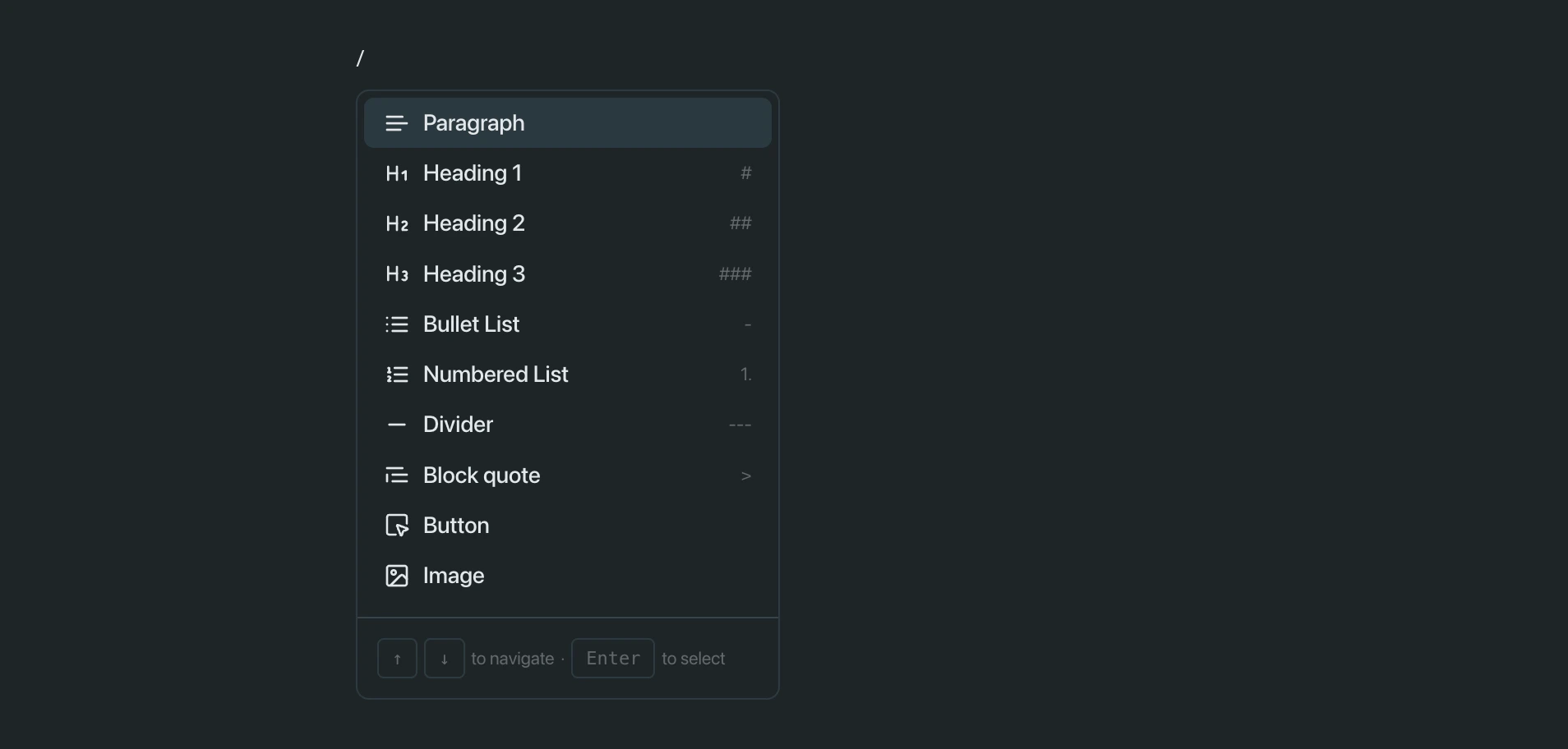
- Heading 1: Used for top-level section titles. Large, bold text that creates visual hierarchy in your document.
- Heading 2: Used for subsections under Heading 1. Medium-sized text to structure content clearly.
- Heading 3: Used for smaller subsections or nested headings. Good for breaking down more detailed parts of a section.
- Paragraph: Default body text for writing notes, descriptions, or any regular content.
- Bullet List: Creates a bulleted list for quick points, summaries, or unordered info.
- Numbered List: Creates a numbered list — perfect for step-by-step instructions or sequences.
- Divider: Inserts a horizontal line to visually separate content or sections.
- Block quote: Adds a styled block to highlight quotes or important callouts.
- Button: Inserts an interactive button that can trigger actions like navigation or prompts (if supported by the app).
- Image: Upload or paste an image directly into the document.
- Section Block: A container for grouping related content like text, images, and embeds. Often used to organize layouts or keep things visually structured.