> ## Documentation Index
> Fetch the complete documentation index at: https://docs.onghost.com/llms.txt
> Use this file to discover all available pages before exploring further.
# Workspace settings
> Brand details, team access, and everything under your workspace menu.
Click your workspace chip at the bottom of the left sidebar to open the workspace menu: **Workspace settings**, **Connect your AI**, and **Sign out**.
## Brand details and team
**Workspace settings** holds your brand name, contact email, and website, plus everyone on your team who can sign in.
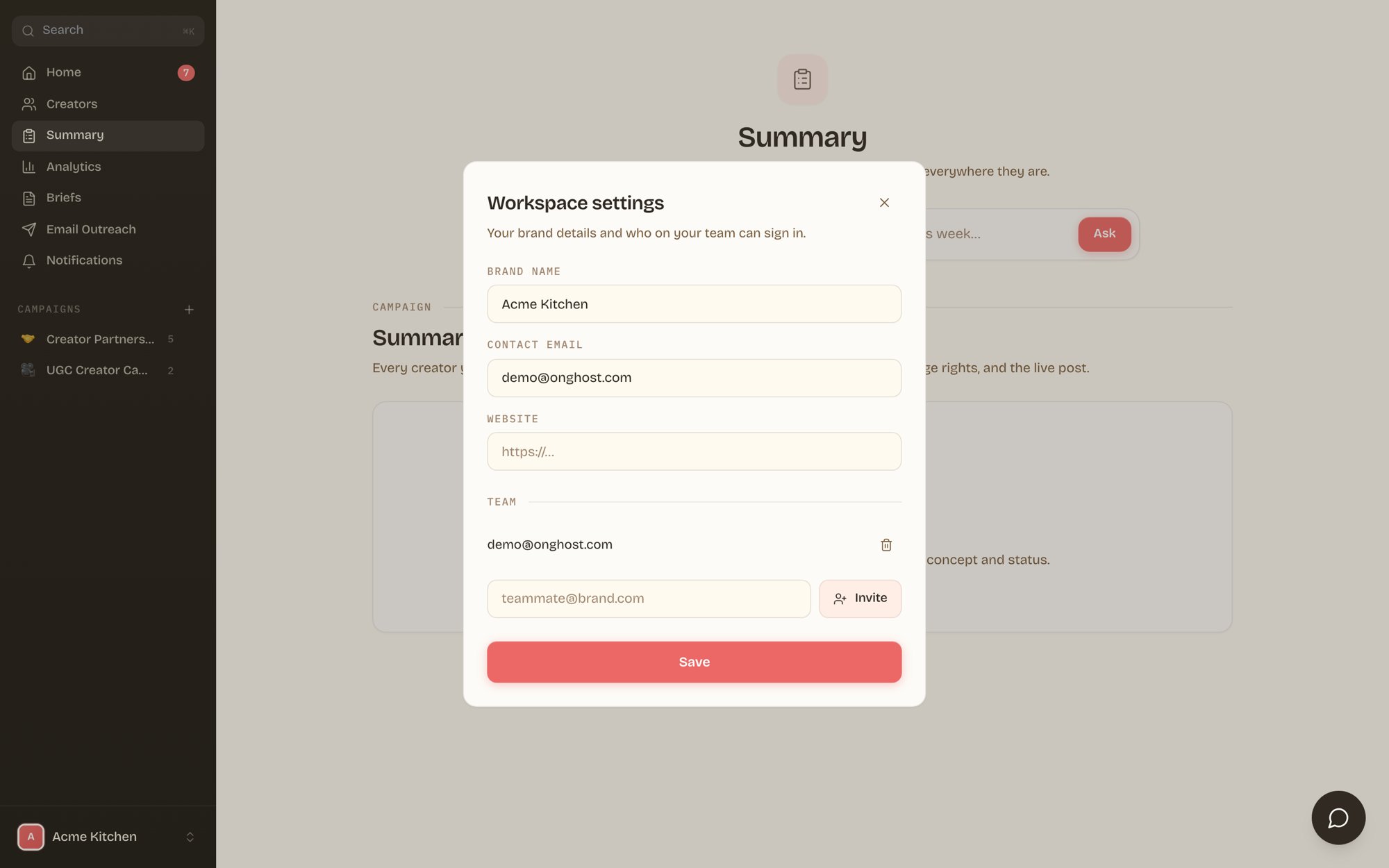 To add a teammate, type their work email and click **Invite**. They sign in at [brands.onghost.com](https://brands.onghost.com) with a magic link, no password setup needed. Remove access anytime with the trash icon next to their email.
Invites are workspace-scoped. A teammate you invite sees your brand's campaigns and nothing else.
## Billing
Brands on a self-serve plan manage their subscription through the hosted billing portal. Open the workspace menu and choose **Manage billing** to update cards, view invoices, or change plans. If you don't see it, your billing runs through your Ghost agreement, and your Ghost contact handles it.
## Your Slack channel
Ghost runs campaign communication in a shared Slack channel. If your channel invite is pending, the portal shows a **join your Slack channel** banner until you're in. Prefer everything in one place? The portal's ask bar and WhatsApp notifications cover approvals and questions without Slack.
## Connect your AI
**Connect your AI** links your workspace to Claude or ChatGPT so you can review creators and pull performance without opening the portal. Full setup guide: [Connect your AI](/brand-portal-mcp).
To add a teammate, type their work email and click **Invite**. They sign in at [brands.onghost.com](https://brands.onghost.com) with a magic link, no password setup needed. Remove access anytime with the trash icon next to their email.
Invites are workspace-scoped. A teammate you invite sees your brand's campaigns and nothing else.
## Billing
Brands on a self-serve plan manage their subscription through the hosted billing portal. Open the workspace menu and choose **Manage billing** to update cards, view invoices, or change plans. If you don't see it, your billing runs through your Ghost agreement, and your Ghost contact handles it.
## Your Slack channel
Ghost runs campaign communication in a shared Slack channel. If your channel invite is pending, the portal shows a **join your Slack channel** banner until you're in. Prefer everything in one place? The portal's ask bar and WhatsApp notifications cover approvals and questions without Slack.
## Connect your AI
**Connect your AI** links your workspace to Claude or ChatGPT so you can review creators and pull performance without opening the portal. Full setup guide: [Connect your AI](/brand-portal-mcp).